
BCn Encoding/Decoding Notes using KTX
KTX (Khronos Texture) format is adding direct support to decode all BCn formats and encode almost all BCn formats. This brings it to parity with DDS with regards to having support for directly encoding BCn formats (unlike before where to encode to BCn, you had to transcode from a Basis Universal format like UASTC which may introduce more artifacts).
This guide is a set of notes on the numerous parameters/knobs and how they affect BCn encoding. A particular focus is given to rate distortion optimization (RDO) given how significantly it reduces the storage (or transmission) size with relatively small introduced distortion (i.e., artifacts).
All of this is based on the great work of Richard Geldreich, particularly: bc7enc_rdo (and the personal blog which helped a lot in adding BCn RDO PR to KTX, and Basis Universal’s Wiki, etc.).
There are also a couple of advices here and there that should be taken with a grain of salt since I only tested some parameters with very few samples.
BCn Compression
Very briefly, BCn compression compresses/encodes a 4-by-4 block of pixels into a fixed-size block; either 8 or 16 bytes. The n in BCn is used to denote the numbers from 1 to 7 with BC7 being the relatively more modern and better quality (usually) compression scheme for LDR textures (i.e., 8 bits per channel). BC7 encodes an RGBA 4-by-4 block of LDR pixels into 16 bytes. BC6HU/BC6HS are used to encode an RGB 4-by-4 block of HDR (i.e., 16 bits per channel) into 16 bytes.
BC5 encodes RG 4-by-4 block of LDR pixels into 16 bytes and is mainly used for normal maps which contain vector (i.e., non-color) data and require particular handling (e.g., each channel is compressed separately).
BC4 encodes an R 4-by-4 block of LDR pixels into 8 bytes and is mainly used for single-channel images (e.g., greyscale).
BC1 encodes an RGB 4-by-4 block of LDR pixels into 8 bytes achieving significant VRAM usage reduction (and performance increase) but at much lower quality than BC7.
BC2 and BC3 are essentially BC1 with support for an alpha channel which is encoded separately into 8 bytes (so in total 16 bytes). BC2 encodes the alpha channel sharply while BC3 employs a more adaptive technique. BC3 is almost always better than BC2 (only reason I said almost is that statements having only ‘always’ are hard to prove).
BCn hardware support is predominantly available on desktop GPUs and less so on mobile GPUs (on mobile, ASTC is the usual choice). DDS (GPU texture container format for DirectX) only supports BCn-texture compression. KTX will (or is, depending on when you read this) have direct support for BCn textures with the additional features of rate distortion optimization and supercompression (basically ZStandard or Zlib compression on top of BCn for better storage/transmission size reduction).
Parameters/Knobs
Detailed description of parameters/knobs for BCn compression/encoding and RDO
using KTX CLI tools (i.e., ktx create, ktx encode). The output of the usual
help command (ktx encode --help) may not be sufficient to explain the details
of what each parameter does.
--bc7-quality <level>
The quality level configures the quality-performance tradeoff for BC7 encoder. Default is ‘medium’. The quality level can be set between fastest and exhaustive via the following fixed quality presets where each preset is an OR’ed set of flags:
+ ---------- + ---------------------------- +
| Level      |  OR'ed flags                 |
| ---------- | ---------------------------- |
| fastest    | (equivalent to flags =  128) |
| faster     | (equivalent to flags =  176) |
| fast       | (equivalent to flags =  179) |
| medium     | (equivalent to flags =  255) |
| thorough   | (equivalent to flags = 1023) |
| exhaustive | (equivalent to flags = 3967) |
+ ---------- + ---------------------------- +
The following images were generated as such:
#! /bin/bash
pushd assets/images/
oiiotool Kodim23.png --cut 50,120,300,370 -o kodim23_original.png
original_size_kb=$(( $(wc --bytes < kodim23_original.png) / 1024 ))
echo "original size (KB): ${original_size_kb}"
for quality in fastest faster fast medium thorough exhaustive
do
    img_name=kodim23_bc7_${quality}
    psnr=$(ktx create --format BC7_SRGB_BLOCK kodim23_original.png \
      --compare-psnr --bc7-quality $quality --zstd 22 ${img_name}.ktx2 \
      | sed -nE "s/\s*PSNR\s*Max:\s*([.0-9]+)/\1/p")
    size_kb=$(( $(wc --bytes < ${img_name}.ktx2) / 1024 ))
    echo "bc7 ${quality} size (KB): ${size_kb}"
    echo "bc7 ${quality} PNSR (dB): ${psnr}"
    ktx extract ${img_name}.ktx2 ${img_name}.png
    rm ${img_name}.ktx2
done
popd
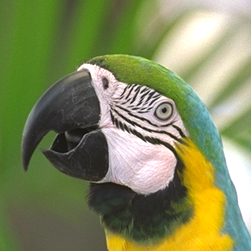
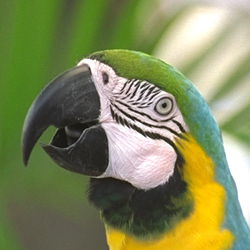
Original (105 KB) vs. BC7 quality=fastest (53 KB; PSNR: 44.233898 dB):
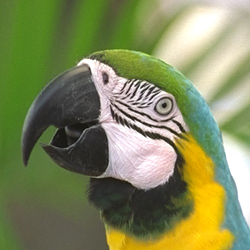
Original (105 KB) vs. BC7 quality=faster (53 KB; PSNR: 44.233898 dB):
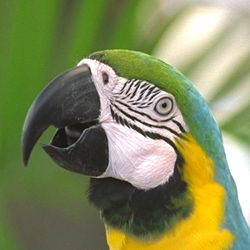
Original (105 KB) vs. BC7 quality=fast (54 KB; PSNR: 44.795250 dB):
Original (105 KB) vs. BC7 quality=medium (56 KB; PSNR: 45.265202 dB):
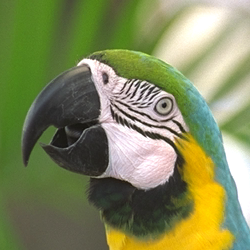
Original (105 KB) vs. BC7 quality=thorough (57 KB; PSNR: 45.364578 dB):
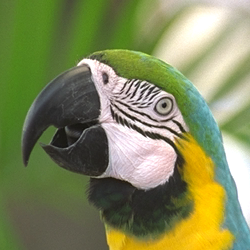
Original (105 KB) vs. BC7 quality=exhaustive (59 KB; PSNR: 45.810558 dB):
Since I don’t care about encoding speed, I usually set it to thorough.
Even the original code (bc7enc_rdo) advises against using exhaustive because
it simply abuses the encoder and is too slow for very little additional
noticeable benefit.
Note: The speed of any BCn decoder is always constant and is independent of encoding parameters.
--bc1-quality <level>
I haven’t used BC1/BC3 at all, so I will just copy the help text for this argument here (just read the note below as to why BC7 is most probably a better choice for you):
Note on BC1 vs. BC3 vs. BC7: apart from lower VRAM consumption (4bpp vs. 8bpp) and better GPU texture cache efficiency, there’s little need to use BC1 now. BC3 still has an advantage vs. BC7, because it very strongly separates how RGB is encoded from the alpha channel, in a predictable way.
The quality level configures the quality-performance tradeoff for BC1 and, subsequently, BC3 encoders. The quality level can be set in the range [0, 19] with (0) being the ‘fastest’ and (19) the slowest but most ‘exhaustive’. Default is (15) ‘thorough’. Can also be set via the following aliases:
+ ---------- + ---------------------------- +
| Level      |  Quality                     |
| ---------- | ---------------------------- |
| fastest    | (equivalent to quality =  0) |
| faster     | (equivalent to quality =  2) |
| fast       | (equivalent to quality =  5) |
| medium     | (equivalent to quality = 10) |
| thorough   | (equivalent to quality = 15) |
| exhaustive | (equivalent to quality = 19) |
+ ---------- + ---------------------------- +
The following images were generated as such:
#! /bin/bash
pushd assets/images/
oiiotool Kodim23.png --cut 50,120,300,370 -o kodim23_original.png
original_size_kb=$(( $(wc --bytes < kodim23_original.png) / 1024 ))
echo "original size (KB): ${original_size_kb}"
for quality in fastest faster fast medium thorough exhaustive
do
    img_name=kodim23_bc1_${quality}
    psnr=$(ktx create --format BC1_RGB_SRGB_BLOCK kodim23_original.png \
      --compare-psnr --bc1-quality $quality --zstd 22 ${img_name}.ktx2 \
      | sed -nE "s/\s*PSNR\s*Max:\s*([.0-9]+)/\1/p")
    size_kb=$(( $(wc --bytes < ${img_name}.ktx2) / 1024 ))
    echo "bc1 ${quality} size (KB): ${size_kb}"
    echo "bc1 ${quality} PNSR (dB): ${psnr}"
    ktx extract ${img_name}.ktx2 ${img_name}.png
    rm ${img_name}.ktx2
done
popd
Original (105 KB) vs. BC1 quality=fastest (25 KB; PSNR: 9.430987 dB):
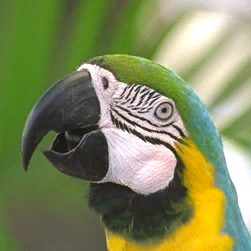
Original (105 KB) vs. BC1 quality=faster (26 KB; PSNR: 9.428191 dB):
Original (105 KB) vs. BC1 quality=fast (26 KB; PSNR: 9.433495 dB):
Original (105 KB) vs. BC1 quality=medium (26 KB; PSNR: 9.436522 dB):
Original (105 KB) vs. BC1 quality=thorough (26 KB; PSNR: 9.436934 dB):
Original (105 KB) vs. BC1 quality=exhaustive (26 KB; PSNR: 9.437187 dB):
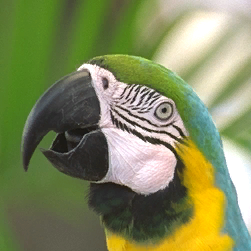
Note:
BC2 and BC3 use BC1 for RGB and support encoding of the additional alpha channel separately. Therefore comparisons such as BC1 vs. BC3 or BC1 vs. BC2 make no sense. For BC2 vs. BC3 the only difference is in how the alpha channel is encoded. For BC2, it is sharply encoded (i.e., for each pixel of the 4x4 block, encode alpha channel using 4 bits) so, usually, BC3 is the better choice because it doesn’t just sharply the alpha value.
--bcn-rdo
Ideally, you don’t want to directly save BC7-compressed KTX textures on the disk (or send through network) because BC7 is simply not designed to reduce size on storage mediums (or to reduce bit rate for the target transmission medium). What you probably want to do is to somehow re-arrange the encoded bits so that when you apply a Deflate-based lossless compression, significant bitrate reductions are possible (10-50% size reduction possible) at the price of increased distortion. This technique is called rate distortion optimization (RDO) and as the name suggests, is a technique to either minimize distortion for a given bitrate or to maximize bitrate for a given tolerable distortion value.
The deflate-based additional layer of compression is referred to as a supercompression and in the case of KTX files is usually either ZLIB or ZSTD (ZSTD consistently performs better by around 5% on all samples I have tested).
Applying a supercompression adds a little overhead for a further decompression step on the CPU (which is very fast) when loading a BCn-based KTX texture to the GPU.
There are some very noteworthy notes about RDO:
- RDO is a lossy post-processing method.
- The user controls the amount of loss, or distortion, or aggressiveness of bitrate reduction via a parameter (the parameter, in this case, is lambda).
- RDO has no effect whatsoever on the decoding speed of the underlying BC7-compressed texture (Or any other method for that mater. GPU BCn decompression speed is constant and unaffected by any BCn encoding parameters).
- It makes no sense to apply RDO for textures that will NOT be supercompressed using Deflate-based algorithm (i.e., only apply RDO if you intend to deflate KTX2 BCn-compressed textures using ZStandard or Zlib).
- RDO, usually (again, depends on how aggressive you set the bitrate reduction and other parameters), results in significantly slower encoding times (I usually don’t care about encoding time so this is completely fine for me).
For color textures (e.g., albedo textures or any texture that is intended to be displayed unlike, for example, normal-map textures), I always enable this since this consistently results in files 10-50% or more smaller. For non-color textures, be your own judge and try RDO out (it may or may not work. See below for normal-map compression using RDO which produces no noticeable artifacts).
From the ktx create --help output:
RDO parameters are only activated if this is set. Setting this might result in significantly slower encoding time at the benefit of potentially significantly lower bit rate for Deflate-based compressors (i.e., number of bits per encoded texel).
For Kodim23 (sRGB), if we apply RDO with lambda 0.5 and window size of 8192 (more on these parameters below):
   #! /bin/bash
   pushd assets/images
   oiiotool Kodim23.png --cut 326,33,692,328 -o kodim23_cropped.png
   psnr=$(ktx create --format BC7_SRGB_BLOCK kodim23_cropped.png \
     --compare-psnr Kodim23.ktx2 | sed -nE "s/\s*PSNR\s*Max:\s*([.0-9]+)/\1/p" )
   size_kb=$(( $(wc --bytes < Kodim23.ktx2) / 1024 ))
   echo "bc7 (no RDO): ${size_kb}KB PSNR=${psnr}dB"
   ktx deflate --zstd 22 Kodim23.ktx2 Kodim23.ktx2
   size_kb=$(( $(wc --bytes < Kodim23.ktx2) / 1024 ))
   echo "bc7 (no RDO + ZSTD): ${size_kb}KB PSNR=${psnr}dB"
   psnr=$(ktx create --format BC7_SRGB_BLOCK kodim23_cropped.png \
     --compare-psnr --bcn-rdo --bcn-rdo-l 0.5 --bcn-rdo-d 8192 --zstd 22 \
     Kodim23.ktx2 | sed -nE "s/\s*PSNR\s*Max:\s*([.0-9]+)/\1/p" )
   size_kb=$(( $(wc --bytes < Kodim23.ktx2) / 1024 ))
   echo "bc7 (RDO + ZSTD): ${size_kb}KB PSNR=${psnr}dB"
   ktx extract Kodim23.ktx2 kodim23_bc7_rdo_lambda_0_5_window_8192.png
   rm Kodim23.ktx2
   popd
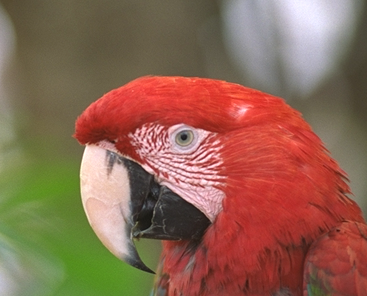
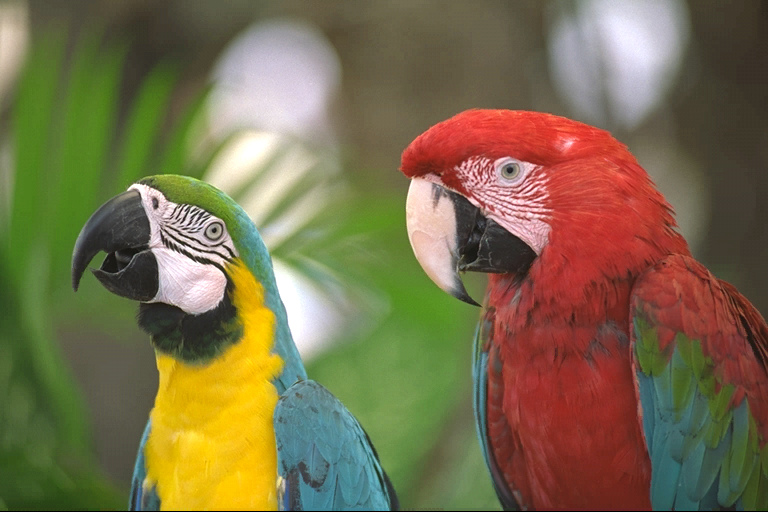
  Kodim23 BC7 compressed KTX2 size:               106KB  PSNR: 47.640011 dB
  Kodim23 BC7 compressed KTX2 size (ZSTD):        97KB   PSNR: 47.640011 dB
  Kodim23 BC7 compressed KTX2 size (RDO + ZSTD):  64KB   PSNR: 41.847527 dB
BC7 RDO + ZSTD achieved a reduction of ~40% relative to non-RDO, non-ZSTD, BC7-compressed KTX2 file.
For Kodim01, although it technically contains almost the same ratio of smooth blocks, they are significantly less noticeable than the ones in Kodim23 which means we have more leeway in lambda and smooth block handling parameters:
   #! /bin/bash
   pushd assets/images
   oiiotool kodim01.png --cut 0,0,400,328 -o kodim01_cropped.png
   psnr=$(ktx create --format BC7_SRGB_BLOCK kodim01_cropped.png \
     --compare-psnr kodim01.ktx2 | sed -nE "s/\s*PSNR\s*Max:\s*([.0-9]+)/\1/p" )
   size_kb=$(( $(wc --bytes < kodim01.ktx2) / 1024 ))
   echo "bc7 (no RDO): ${size_kb}KB PSNR=${psnr}dB"
   ktx deflate --zstd 22 kodim01.ktx2 kodim01.ktx2
   size_kb=$(( $(wc --bytes < kodim01.ktx2) / 1024 ))
   echo "bc7 (no RDO + ZSTD): ${size_kb}KB PSNR=${psnr}dB"
   psnr=$(ktx create --format BC7_SRGB_BLOCK kodim01_cropped.png \
     --compare-psnr --bcn-rdo --bcn-rdo-l 1.0 --bcn-rdo-d 8192 --zstd 22 \
     kodim01.ktx2 | sed -nE "s/\s*PSNR\s*Max:\s*([.0-9]+)/\1/p" )
   size_kb=$(( $(wc --bytes < kodim01.ktx2) / 1024 ))
   echo "bc7 (RDO + ZSTD): ${size_kb}KB PSNR=${psnr}dB"
   ktx extract kodim01.ktx2 kodim01_bc7_rdo_lambda_1_0_window_8192.png
   rm kodim01.ktx2
   popd
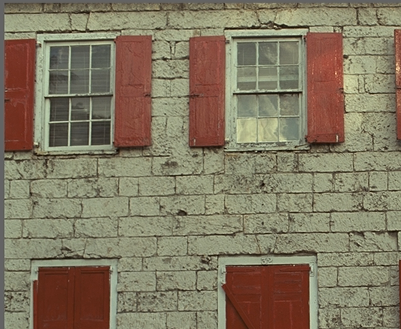
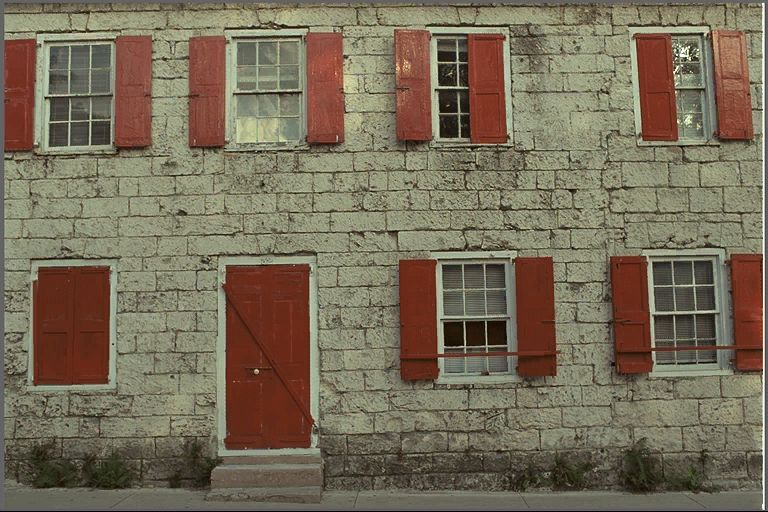
  kodim01 BC7 compressed KTX2 size:                131KB    PSNR: 45.251926 dB
  kodim01 BC7 compressed KTX2 size (ZSTD):         117KB    PSNR: 45.251926 dB
  kodim01 BC7 compressed KTX2 size (RDO + ZSTD):    62KB    PSNR: 33.551018 dB
--bcn-rdo-l <lambda>
RDO quality scalar (lambda). Controls rate vs. distortion tradeoff. Lower values yield higher quality/larger LZ compressed files, higher values yield lower quality/smaller LZ compressed files. A good range to try is [0.25,8]. Full range is [0.1,50.0]. Default is 0.5.
The post-processor tries to minimize:
distortion * smooth_block_scale + rate * lambda
(rate is approximate LZ bits and distortion is scaled MSE multiplied by the smooth block MSE weighting factor). Larger values push the post-processor towards optimizing more for lower rate, and smaller values more for distortion. 0=minimal distortion.
This is the most influential parameter/knob for RDO. You just have to play around with the values and figure out a good tradeoff (always measure resulting bit rate with the actual Deflate algorithm - e.g, ZSTD).
--bcn-rdo-d <dictsize>
The number of bytes the encoder can look back from each block to find matches. The larger this value, the slower the encoder but the higher the quality per LZ compressed bit. You don’t need a huge window to get large gains.
This parameter significantly influences the resulting bit rate at the expense of significantly longer encoding times.
If you don’t care about encoding speed, then set this to a high value (e.g., 8192). From limited testing, I found values > 8192 to take significantly much longer while offering very little bit rate improvements.
--bcn-rdo-s <deviation>
This controls if and to which degree blocks are considered smooth blocks. RDO
results in very noticeable artifacts for smooth blocks hence why MSE of these
blocks has to be adjusted (i.e., increased) by a factor. This factor
(smooth_block_mse_scale) is computed as follows:
float max_std_dev = compute_block_max_std_dev(/* ... */);
float yl = clampf(max_std_dev / rdo_max_smooth_block_std_dev, 0.0f, 1.0f);
yl *= yl;
float smooth_block_mse_scale = lerp(rdo_max_smooth_block_mse_scale, 1.0f, yl);
So essentially: if the std dev. of a block exceeds this value, then it won’t be considered as a smooth block (i.e., the smooth block MSE scale factor will be set to 1.0f for this block). The smaller the ratio of the standard deviation of this block to this value the more the smooth block MSE scale factor approaches [–bcn-rdo-b][#–bcn-rdo-b-scale]. Range is [.01,65536.0]. Larger values expand the range of blocks considered smooth and consequently hurt bit rate. Lower values may result in noticeable artifacts/distortion at the benefit of greater bit rate. Default is 18.0.
This is what you get without smooth block handling (i.e., setting this parameter as low as possible):
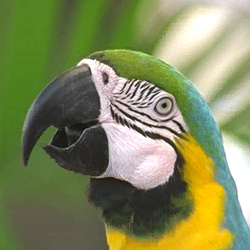
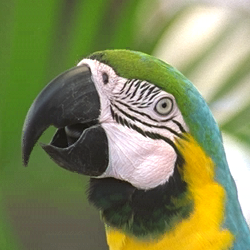
I usually just keep this at 18.0f and rarely play around with it unless I notice some artifacts around the edges as the ones seen above.
For why scaling the MSE of smooth blocks is so crucial in RDO, see [–bcn-rdo-b][#–bcn-rdo-b-scale]
--bcn-rdo-b <scale>
While –bcn-rdo-s controls if and to which degree
blocks should be considered smooth blocks, --bcn-rdo-b controls the MSE
scale factor for a given smooth block. The equation is as follows:
float max_std_dev = compute_block_max_std_dev(/* ... */);
float yl = clampf(max_std_dev / rdo_max_smooth_block_std_dev, 0.0f, 1.0f);
yl *= yl;
float smooth_block_mse_scale = lerp(rdo_max_smooth_block_mse_scale, 1.0f, yl);
By default, this value is automatically computed based on the set –bcn-rdo-l. I usually just let it be automatically computed, but you have the option to supply a value (extra knob) and test it by yourself.
Setting this to 1.0f disables smooth block handling and will most probably result in significantly noticeable artifacts at the benefit of higher compression:
   #! /bin/bash
   pushd assets/images
   oiiotool kodim01.png --cut 140,225,390,475 -o kodim01_cropped.png

   psnr=$(ktx create --format BC7_SRGB_BLOCK kodim01_cropped.png --bcn-rdo --compare-psnr --zstd 22 \
     kodim01_bc7_rdo_smooth_blocks_enabled.ktx2 | sed -nE "s/\s*PSNR\s*Max:\s*([.0-9]+)/\1/p")
   size_kb=$(( $(wc --bytes < kodim01_bc7_rdo_smooth_blocks_enabled.ktx2) / 1024 ))
   echo "bc7 smooth blocks auto: ${size_kb}KB PSNR=${psnr}dB"
   ktx extract kodim01_bc7_rdo_smooth_blocks_enabled.ktx2 kodim01_bc7_rdo_smooth_blocks_enabled.png
   rm kodim01_bc7_rdo_smooth_blocks_enabled.ktx2

   psnr=$(ktx create --format BC7_SRGB_BLOCK kodim01_cropped.png --bcn-rdo --bcn-rdo-b 1.0 --compare-psnr --zstd 22 \
     kodim01_bc7_rdo_smooth_blocks_disabled.ktx2 | sed -nE "s/\s*PSNR\s*Max:\s*([.0-9]+)/\1/p")
   size_kb=$(( $(wc --bytes < kodim01_bc7_rdo_smooth_blocks_disabled.ktx2) / 1024 ))
   echo "bc7 smooth blocks disabled: ${size_kb}KB PSNR=${psnr}dB"
   ktx extract kodim01_bc7_rdo_smooth_blocks_disabled.ktx2 kodim01_bc7_rdo_smooth_blocks_disabled.png
   rm kodim01_bc7_rdo_smooth_blocks_disabled.ktx2

   psnr=$(ktx create --format BC7_SRGB_BLOCK kodim01_cropped.png --bcn-rdo --bcn-rdo-b 30.0 --compare-psnr --zstd 22 \
     kodim01_bc7_rdo_b_30.ktx2 | sed -nE "s/\s*PSNR\s*Max:\s*([.0-9]+)/\1/p")
   size_kb=$(( $(wc --bytes < kodim01_bc7_rdo_b_30.ktx2) / 1024 ))
   echo "bc7 smooth blocks 30.0: ${size_kb}KB PSNR=${psnr}dB"
   ktx extract kodim01_bc7_rdo_b_30.ktx2 kodim01_bc7_rdo_b_30.png
   rm kodim01_bc7_rdo_b_30.ktx2

   popd
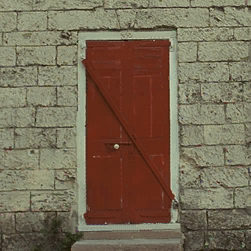
BC7 smooth blocks auto (29KB; PSNR: 34.205101 dB) vs. BC7 smooth blocks disabled (17 KB; PSNR: 30.466373 dB):
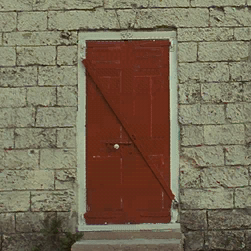
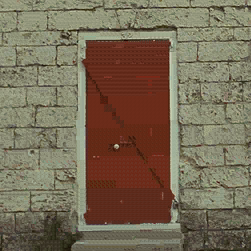
BC7 smooth blocks auto (29KB; PSNR: 34.205101 dB) vs. BC7 smooth blocks MSE scale 30.0 (36 KB; PSNR: 34.991135 dB):
--bcn-rdo-r <ratio>
How much the RMS error of a block is allowed to increase before a trial is rejected. 1.0=no increase allowed, 1.05=5% increase allowed, etc. Range is [1.001, 100.0]. Default is 10.0.
The higher, the more leeway for a block to be accepted. The smaller, the more likely the trials are to be rejected early.
I usually never touch this parameter and leave it as it is (I see it as an extra knob).
--bcn-rdo-no-ultrasmooth
See Geldreich’s original blog post about ultra-smooth block handling here.
This parameter disables ultra-smooth blocks handling (think of gradients, skies, etc.).
Ultra-smooth block handling detects extremely smooth blocks and encodes them with a significantly higher MSE scale factor (vs. other non-smooth or non-ultra-smooth blocks). When ultra-smooth block handling is enabled, a per-block mask image is computed, filtered, then an array of per-block MSE scale factors is supplied to the ERT. The end result is much less significant artifacts on regions containing very smooth blocks (e.g., gradients). This does hurt rate-distortion performance.
A block is considered ultra-smooth if all the following conditions are met (some of these are quite confusing and complex, to keep it simple, just follow the images below: a black pixel is an ultra-smooth block):
- The mean of a block’s average Luma 709 is in [DARK_THRESHOLD, BRIGHT_THRESHOLD[ (i.e., its luminance is neither too dark nor too bright). These are set to 13 and 222 respectively. The reasoning behind this is that the human eye already doesn’t notice the difference at these extremes and thus doesn’t make sense to hurt the bit rate for lower distortion via ultra-smooth block handling for these blocks (even though, technically, they might be ultra-smooth).
- The max std dev. of a block (which is computed as std dev. of each RGB component then the maximun between them is picked) is strictly lower than ULTRASMOOTH_BLOCK_STD_DEV_THRESHOLD (which is set to 2.9)
- For each block:
yl = max_std_dev/ULTRASMOOTH_BLOCK_STD_DEV_THRESHOLD; yl *= yl; - The following 3 filtering/spread out steps are performed (see figures below)
To demonstrate the necessity of ultrasmooth block handling, Delorean render image is used (following the original blog post since it has a significant portion of ultrasmooth blocks due to the background gradient):
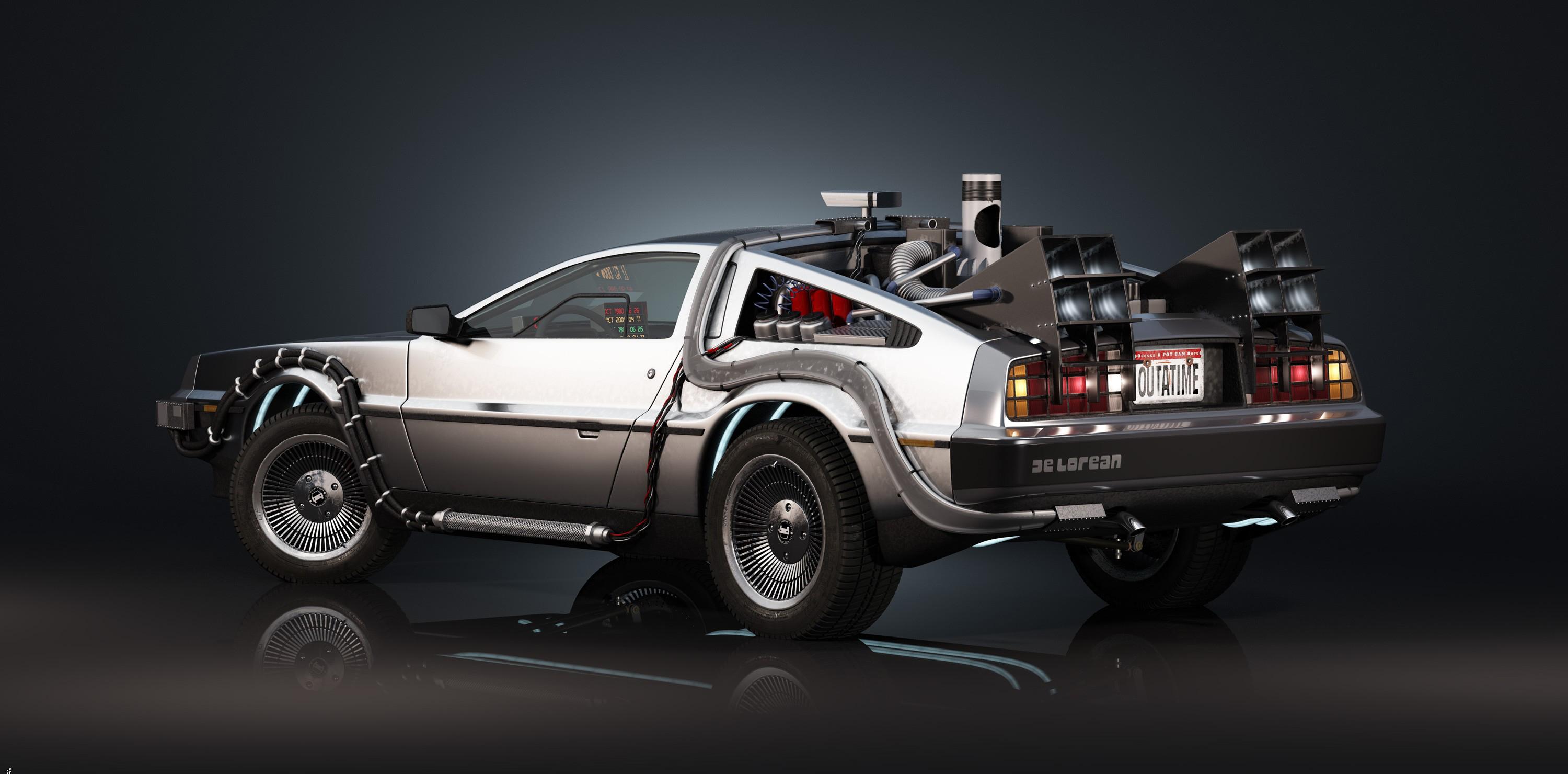
With the following smooth/ultrasmooth block stats (on the original, non-downscaled image):
total nbr smooth blocks (%): 94.6692
total nbr ultra smooth blocks (%): 69.8061
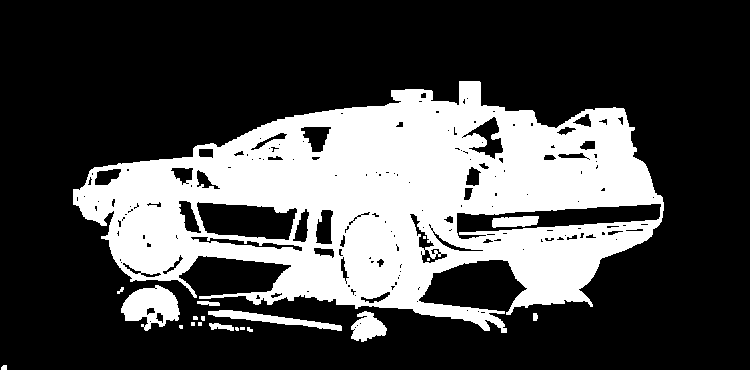


The resulting artifacts you get after setting this (i.e., disabling ultra-smooth blocks handling) are significantly noticeable for images containing gradients. For an example, let’s pick the delorean.jpg image (JPEG because I couldn’t find the original lossless PNG :-/):
Hereafter, whenever ZSTD or Zlib are mentioned, they are used with highest
compression level (--zstd 22 and --zlib 9).
The following images are generated using the following script:
   #! /bin/bash
   pushd assets/images
   psnr=$(ktx create --format BC7_SRGB_BLOCK delorean.jpg --compare-psnr delorean.ktx2 \
     | sed -nE "s/\s*PSNR\s*Max:\s*([.0-9]+)/\1/p")
   size_kb=$(( $(wc --bytes < delorean.ktx2) / 1024 ))
   echo "bc7 (no RDO): ${size_kb}KB PSNR=${psnr}dB"
   ktx deflate --zstd 22 delorean.ktx2 delorean.ktx2
   size_kb=$(( $(wc --bytes < delorean.ktx2) / 1024 ))
   echo "bc7 (no RDO + ZSTD): ${size_kb}KB PSNR=${psnr}dB"
   ktx extract delorean.ktx2 delorean_bc7.png

   psnr=$(ktx create --format BC7_SRGB_BLOCK delorean.jpg --bcn-rdo --bcn-rdo-l 0.5 --bcn-rdo-d 8192 \
     --compare-psnr --zstd 22 delorean.ktx2 | sed -nE "s/\s*PSNR\s*Max:\s*([.0-9]+)/\1/p")
   size_kb=$(( $(wc --bytes < delorean.ktx2) / 1024 ))
   echo "bc7 (RDO ZSTD): ${size_kb}KB PSNR=${psnr}dB"
   ktx extract delorean.ktx2 delorean_BC7_SRGB_BLOCK_rdo_lambda_0_5_window_8192.png

   psnr=$(ktx create --format BC7_SRGB_BLOCK delorean.jpg --bcn-rdo --bcn-rdo-l 0.5 --bcn-rdo-d 8192 \
     --bcn-rdo-no-ultrasmooth --compare-psnr --zstd 22 delorean.ktx2 | sed -nE "s/\s*PSNR\s*Max:\s*([.0-9]+)/\1/p")
   size_kb=$(( $(wc --bytes < delorean.ktx2) / 1024 ))
   echo "bc7 (RDO + ZSTD + no-ultrasmooth): ${size_kb}KB PSNR=${psnr}dB"
   ktx extract delorean.ktx2 delorean_BC7_SRGB_BLOCK_rdo_lambda_0_5_window_8192_no_ultrasmooth.png

   rm delorean.ktx2
   popd
-
Original Delorean downscaled (JPEG) vs. BC7 (no RDO):
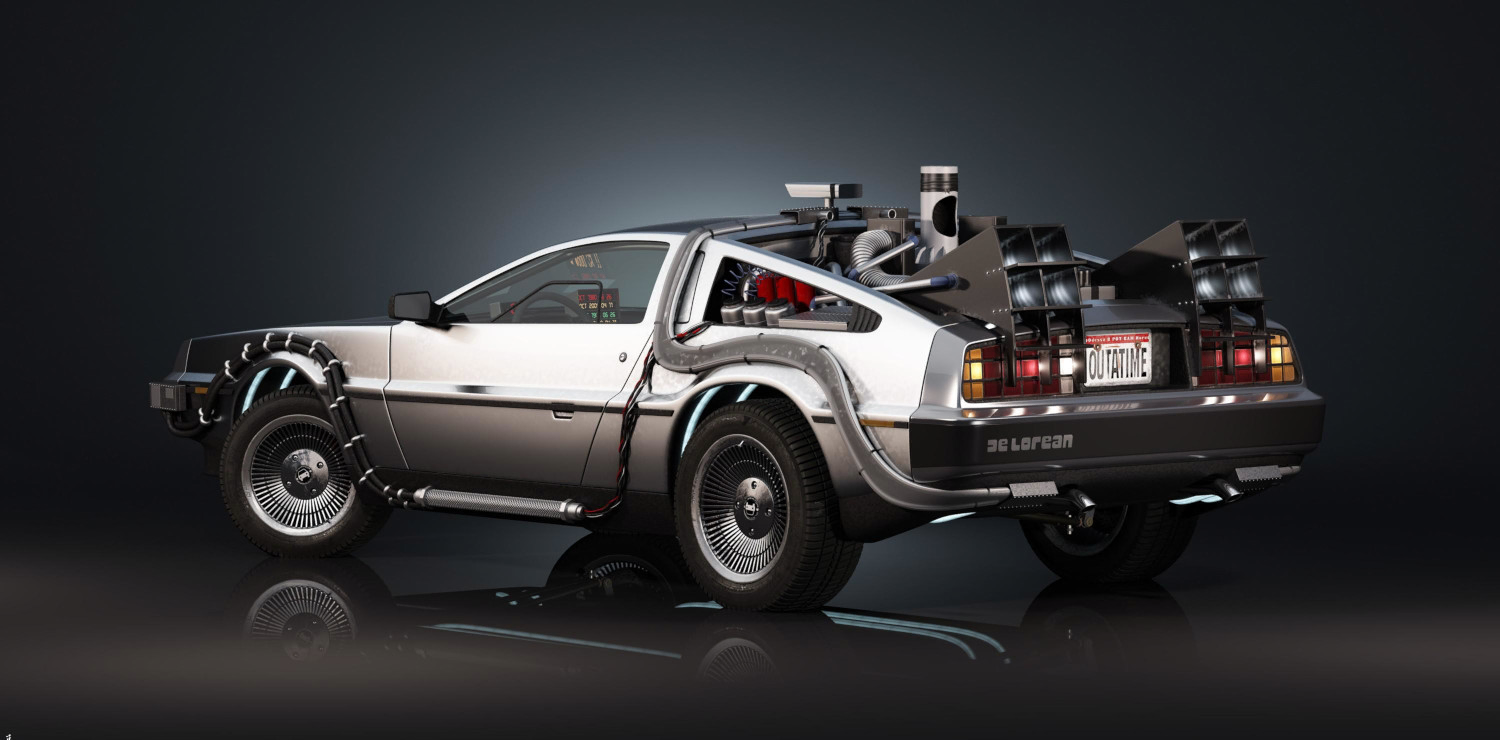
Left: Delorean original JPEG image downscaled to (1500 x 740). Right: encoded using BC7 (no RDO and all parameters are defaults). Notice the very smooth background gradient. Delorean BC7 KTX2 size: 1084KB PSNR: 50.329319 dB Delorean BC7 KTX2 size (ZSTD): 379KB PSNR: 50.329319 dB Delorean BC7 KTX2 size (RDO + ZSTD): 181KB PSNR: 43.144417 dB -
BC7 + RDO + lambda 0.5 + 8192 window size (ultra-smooth blocks handling disabled vs. enabled):
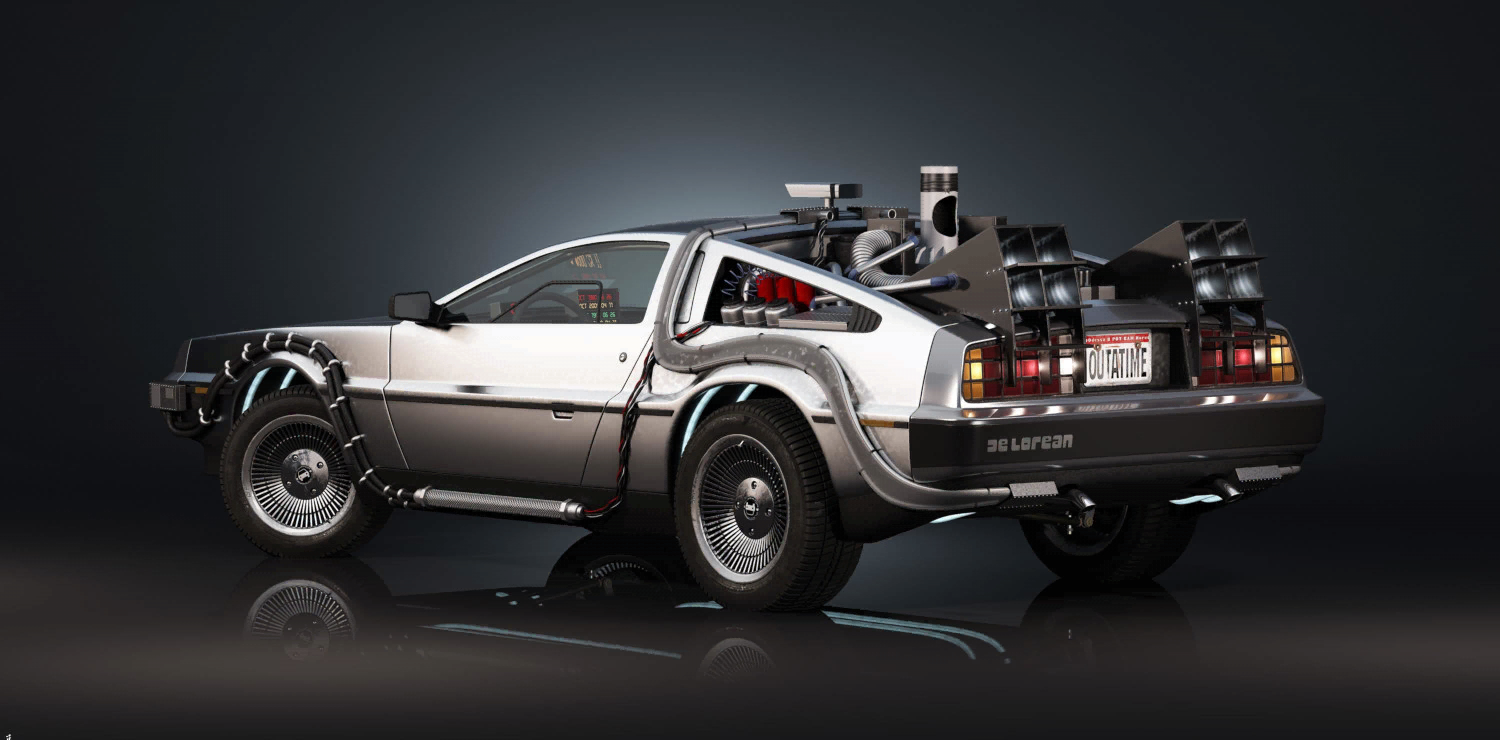
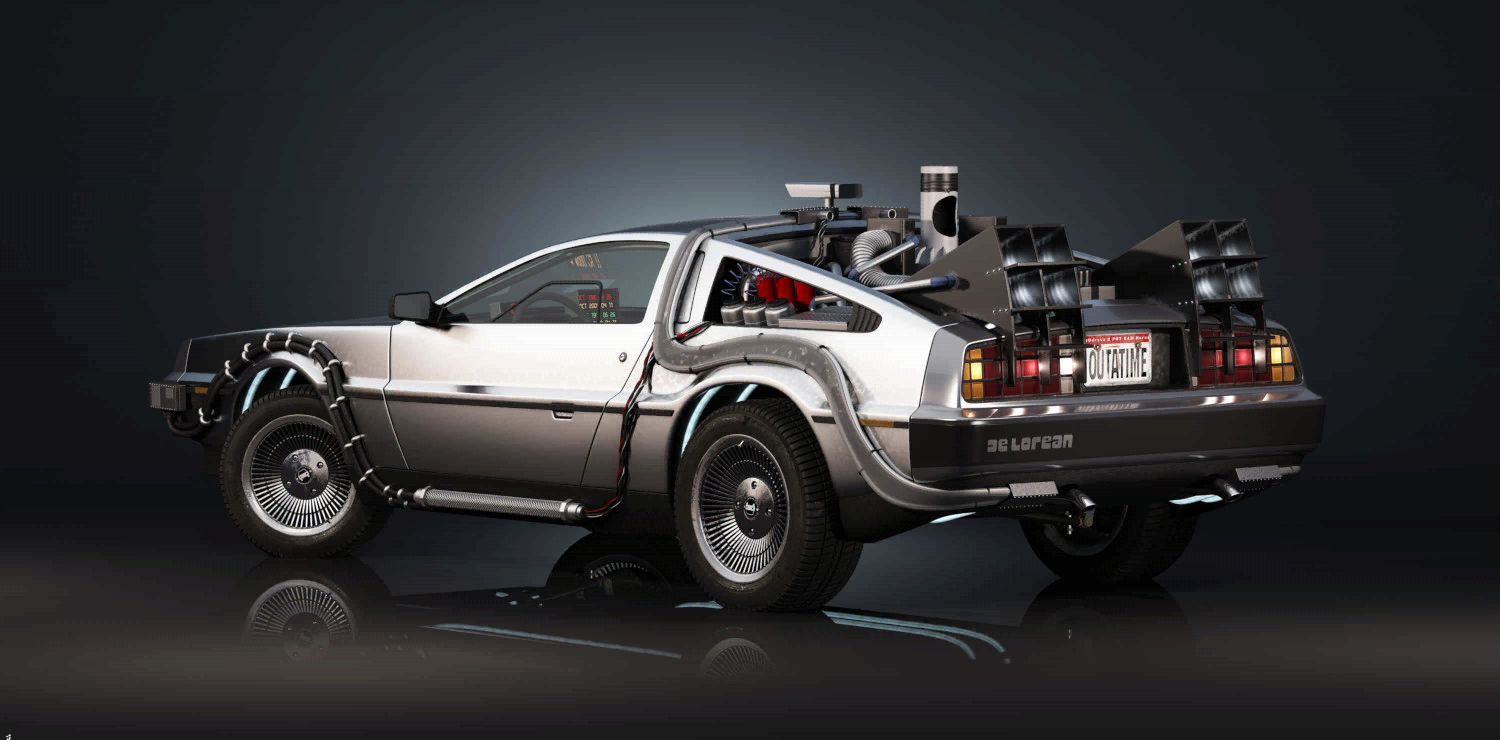
On the left: Delorean BC7 + RDO with ultrasmooth block handling. On the right: Delorean BC7 + RDO without ultrasmooth block handing. For the left image, notice how the background gradient are noticeably less blocky relative to the image with no ultrasmooth block handling (right) where background gradient is very noticeably blocky. Delorean BC7 KTX2 size (RDO + ZSTD): 181KB PSNR: 43.144417 dB Delorean BC7 KTX2 size (RDO + ZSTD + no-ultrasmooth): 163KB PSNR: 42.227688 dB
As can be seen above, the 20 or so KB saved by disabling ultrasmooth block handling is definitely not worth it. This is why it is enabled by default. You may want to try to to disable ultra-smooth block handling for images/textures that do not contain noticeable amount of visible smooth blocks (but just relying on the stats about smooth/ultrasmooth blocks is probably insufficient).
--bcn-rdo-try-one-match
Inject up to 1 match into each block instead of up to two matches. Results in slightly faster, but noticeably lower compression.
--bcn-rdo-skip-zero-mse
Skip blocks that have zero mean-squared error (MSE). Might result in faster but potentially lower compression.
--bcn-rdo-m
Disables RDO multithreading and, consequently, significantly slows down RDO post processing. No reason to use this at all as the results are deterministic whether multithreading is used or not.
By default, RDO uses same number of threads as BCn encoder and by setting this you can force it use just one thread. Note, again, that RDO (depending on the parameters you set) can be extremely slow so I see no reason to set this whatsoever.
Compressing Normal Maps
Normal maps, unlike previously tested images, do not encode color data (i.e., data that is intended to be displayed/viewed). Instead, they encode vector data that can be used to approximate the reflection of incoming rays of light and create the illusion of more detail without having to add any vertices.
BC5 is, usually, the go-to BCn format to compress normal maps. According to oiiotool, the normal map in the following example was saved in sRGB colorspace which is not at all what you should do for non-color data (or any data that is NOT intended to be displayed) but it the sample that I came across the first.
The script that is used to compress the normal map to BC5 is as follows:
#! /bin/bash
ktx create --format BC5_UNORM_BLOCK --zstd 22 assets/images/normalmap.png --compare-psnr assets/images/normalmap_bc5.ktx2
echo "BC5 (no RDO): $(ls -lh assets/images/normalmap_bc5.ktx2)"
ktx extract assets/images/normalmap_bc5.ktx2 assets/images/normalmap_bc5.png

ktx create --format BC5_UNORM_BLOCK assets/images/normalmap.png --bcn-rdo --zstd 22 --compare-psnr assets/images/normalmap_bc5_rdo.ktx2
echo "BC5 (RDO): $(ls -lh assets/images/normalmap_bc5_rdo.ktx2)"
ktx extract assets/images/normalmap_bc5_rdo.ktx2 assets/images/normalmap_bc5_rdo.png

rm assets/images/normalmap_bc5.ktx2
rm assets/images/normalmap_bc5_rdo.ktx2
Notice how ZStandard supercompression is applied on top of BC5 compression.
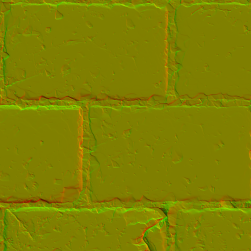
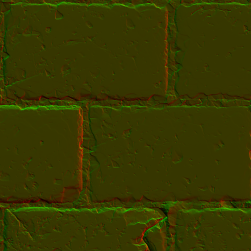
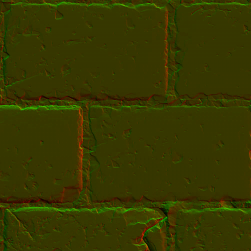
Notes:
-
You usually don’t want to apply RDO to non-color data because RDO assumes color input. In the example above with normal maps, I just wanted to show that it is possible to do so and end up with acceptable results (if you provide
--normal-mapflag then an error will be produced when--bcn-rdois also set). But, again, more likely than not you will get very noticeable artifacts especially when actually testing in the target environment. -
The problem with normal map artifacts is that they can appear significantly worse depending on the set-up lighting and Shaders. So do proper testing in a proper environment.
-
PSNR is not that great of a metric (neither is SSIM). It is based on a global error and is not perceptual so take it with a huge grain of salt.